
How to block promotional emails?
Every alias you hand to a store, an app or a newsletter eventually starts receiving sales, coupons and "we miss you" campaigns. The promotional email filter stops that mail at Alias Email, before it is forwarded, while the emails you actually need — receipts, order and shipping updates, password resets and security codes — keep reaching your inbox.How to turn it on
Open Settings and switch on Block promotional emails in the Promotional email filter section. The setting applies to all of your aliases at once.
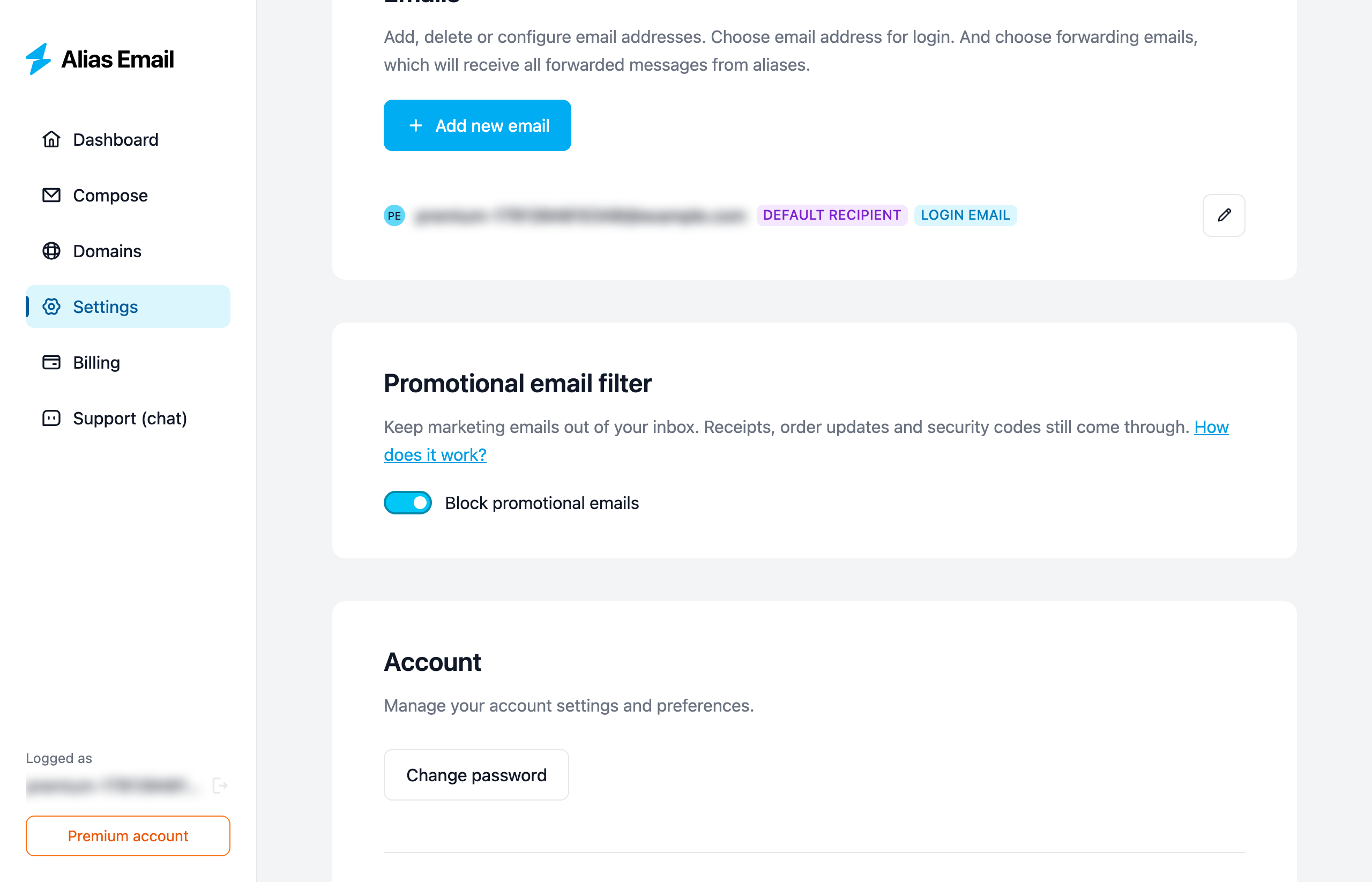
To start forwarding everything again, switch it off. Nothing else changes: your aliases, recipients and existing emails stay exactly as they are.
What gets blocked
The filter blocks marketing: adverts, sales, discounts, coupons, special offers and win-back campaigns that try to bring you back to a store or app.
It always lets these through:
- receipts, invoices, order and shipping updates;
- password resets, login and security codes, account and security notices;
- replies in an email conversation;
- automatic notifications that are marked as such by the sender (out-of-office replies, delivery reports and similar).
When it isn't clear whether an email is marketing, it is forwarded. The filter is built to let a stray promotion through rather than hold back a receipt.
How it decides
Each incoming email goes through three checks:
- Conversations and automatic notifications are forwarded right away.
- Known senders. We keep a list of addresses that only send marketing and a list of addresses that send important mail such as security codes and order updates. A match decides immediately.
- Everything else is checked by an AI classifier, which only blocks an email when it is confident the email is marketing.
What we look at
To decide, we look only at the sender, the subject line and a few technical headers (for example, whether the email has an unsubscribe link). The text of the email is never read or analyzed. If you keep the filter off, none of this happens.
What happens to blocked emails
A blocked email is not forwarded and can't be recovered later, and the sender is not notified. Each alias on your dashboard shows how many promotional emails it has blocked:
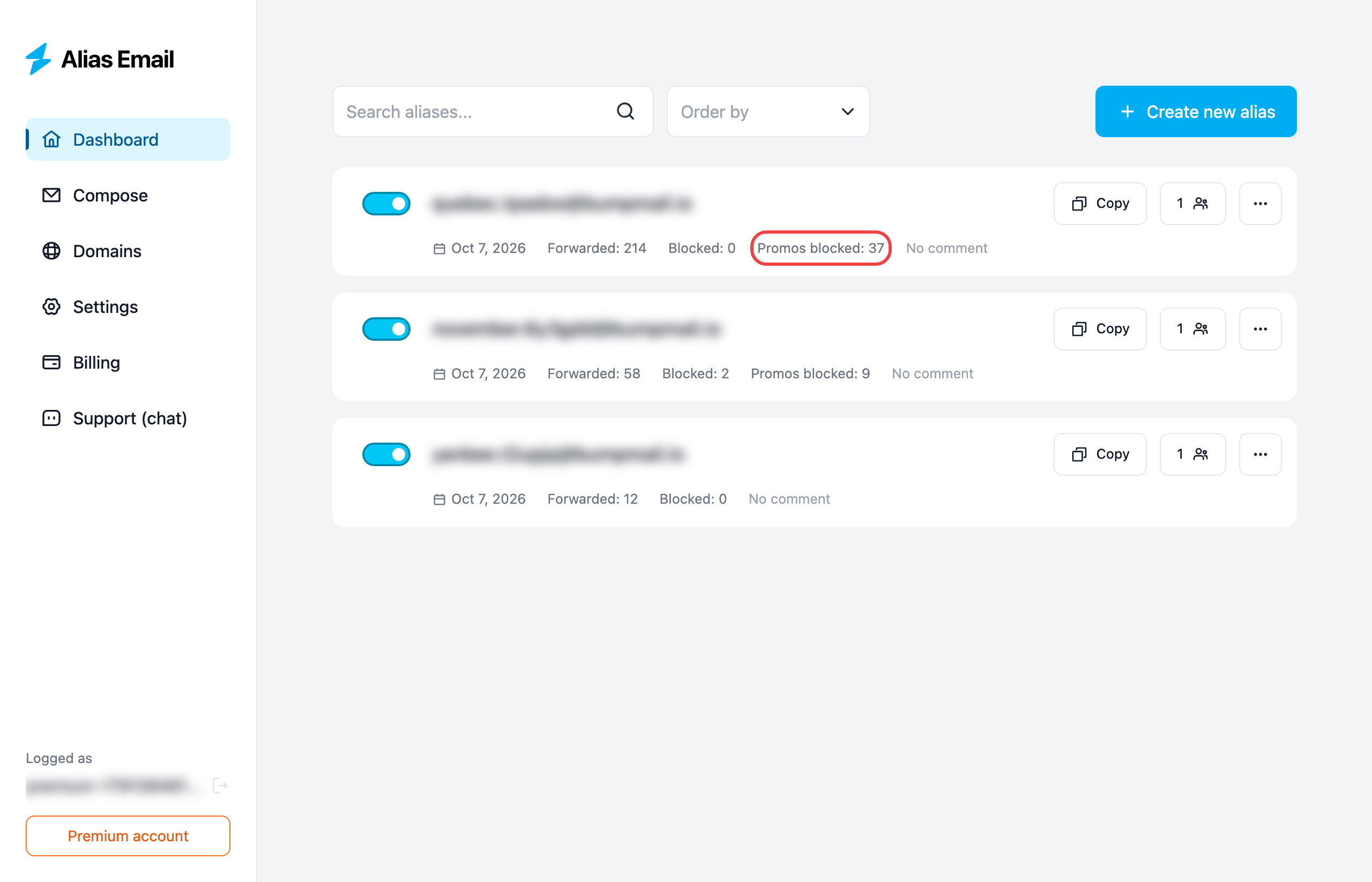
If an alias receives mail you can't afford to lose — for example, from a shop that sends receipts and coupons from the same address — keep the filter off, or give that sender its own alias so you can see everything it sends.
What's next?
- Stop a sender completely by creating a separate alias for it and turning the alias off when you're done.
- Forward an alias to several inboxes: how to add more recipients.